
Video for Discord
Get a video under Discord's limit.
Pick a size, press Convert, and the clip comes back as an MP4 that fits. The video is converted on your device, so it is not uploaded anywhere first.
Needs a browser that can make video itself. Tested in Chrome and in WebKit, the engine behind Safari; Firefox is not tested.
Drop a video here.
Drop a video here.Choose a video.
MP4MOVWEBMMKVNothing leaves this device.
Several files of one kind convert together.
How it works
Choose the size, then convert.
1
Drop the clip
A screen recording, a game capture or a phone video. MP4, MOV, MKV and WebM are all read.
2
Check the size limit
Chat or social is selected, which is under 10 MB and fits the free limit Discord has had since 2024. Open Custom and move File size to 20 MB to use the current free limit.
3
Save the MP4
Drag it into the chat. H.264 video with AAC sound in an MP4 is what Discord's player handles most reliably.
See it work
Check the size before you save.
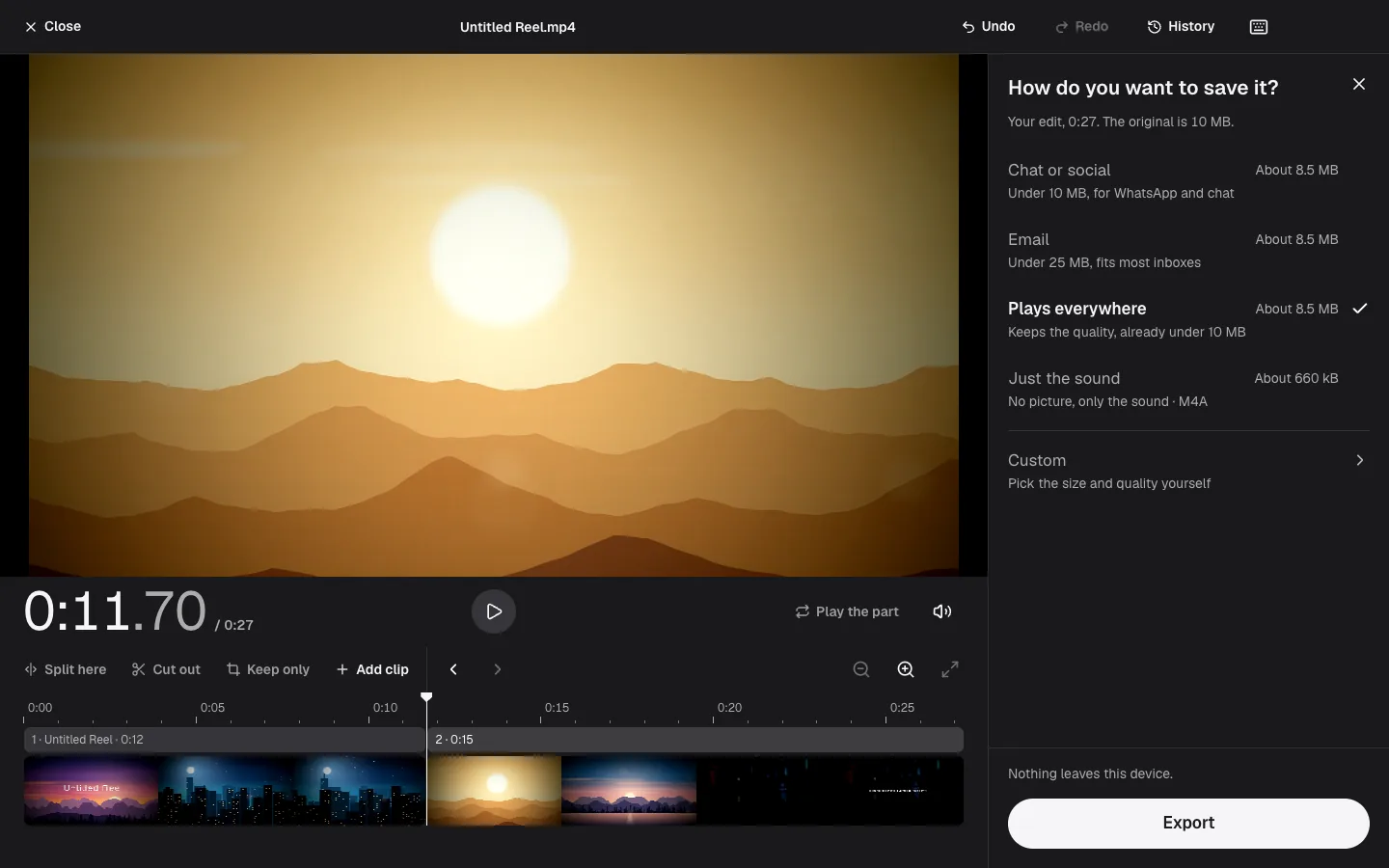
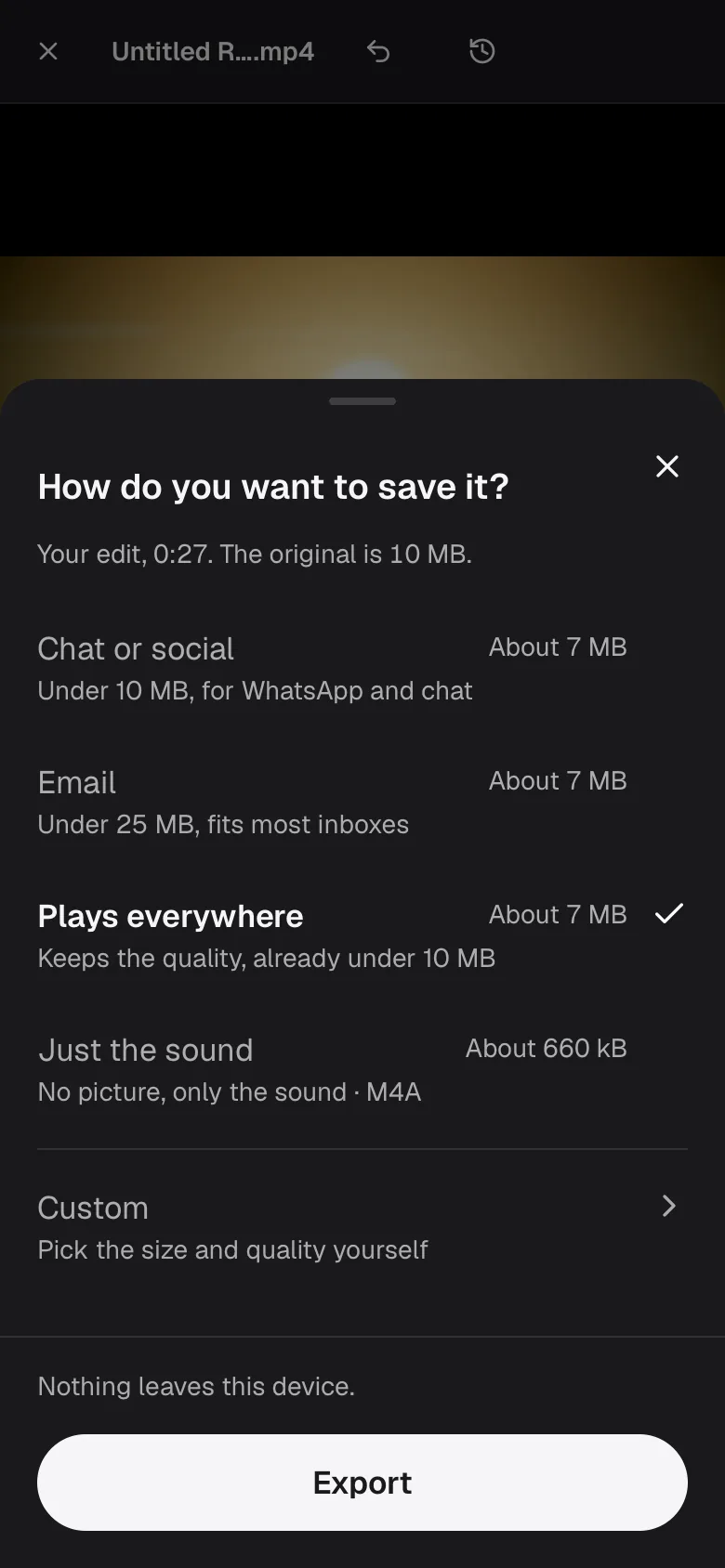
Measured examples
What 10 MB did to our test clips.
Three generated clips went through this page at its own setting, under 10 MB. Two of them were meant to fail.
| Test file | Size | Change | Time | Result |
|---|---|---|---|---|
| 20 s clip, 1080pChrome | 30 MB → 9.6 MB | 68 percent smaller | 3.4 s | Video converted |
| 20 s clip, 1080pWebKit | 30 MB → 9.4 MB | 68 percent smaller | 21 s | Video converted |
| 20 min clip, 240pChrome | 14 MB | Refused: too long to fit in that size | 80 ms | |
| 5 min clip, 360pChrome | 17 MB | Refused: too long to fit in that size | 18 s |
Measured on November 7, 2026 in Google Chrome 157, WebKit (Playwright build, not Safari) 26, on Apple M1 Pro. Times run from pressing Convert to the result being ready, with the page already loaded. Likeness is PSNR against the original: higher is closer, and above 40 dB the difference is hard to see. WebKit here is Playwright's build, which is not Safari. Every test file was generated for these measurements, none is anyone else's work, and each is described on the About page.
The 20-second 1080p clip came out at 9.6 MB from 30 MB, in 3.4 seconds. The five-minute clip, a deliberately hard test pattern full of fine moving detail, was refused after 17.7 seconds of trying: even at the lowest picture quality it did not fit. The 20-minute clip was refused at once, because 10 MB holds at most about 7 minutes at the engine's lowest quality. WebKit fitted the first clip too, to 9.4 MB, but took 21.1 seconds.
Facts
What a limit does to a clip.
Longest clip per size
At the lowest picture quality the engine accepts: 10 MB about 7 minutes, 25 MB about 19, 50 MB about 38. Easy footage can reach it; busy footage cannot.
Sound
Kept as AAC. The 20-second test clip kept its sound track and its length to within 40 milliseconds.
Portrait video
Keeps its rotation, and the frame rate is not changed unless the size forces a lower resolution.
10 MB means 10,000,000 bytes
So the result also fits wherever a site counts in MiB.
Good to know
Fitting a clip into a few megabytes.
How the size is reached, what it costs the picture, and the cases where a link is the better answer.
The limit moved
Discord cut the free upload limit from 25 MB to 10 MB in September 2024. Press reports say it announced on 13 August 2026 a rise to 20 MB for free accounts, in effect from 14 August. Nitro Basic is reported at 50 MB and higher tiers go further. The upload dialog shows the number for your account, and Discord's help pages are the final word.
10 MB is the default here because it fits both free limits. A target of 10 MB means 10,000,000 bytes, so it also fits wherever a site counts in MiB.
What a size costs the picture
The size fixes the bitrate: 10 MB spread over one minute is about 1.3 megabits per second, over four minutes about 320 kilobits. Flex Convert works that out from the length, lowers the resolution when the budget is thin, and aims at 96 percent of the target.
Our 20-second 1080p clip asked for 10 MB came out at 9.6 MB. Very simple video, such as a static slideshow, can land further under, because the encoder spends fewer bits on easy frames.
When the clip is too long
There is a floor below which a picture stops being watchable, and Flex Convert says the clip is too long for that size instead of handing back mush. Trim the clip in your phone's Photos app or your recorder first, or pick a bigger limit.
For a long gameplay recording a link is the honest answer: an unlisted video on a video site, or a cloud share, keeps the original quality.
What stays the same
Sound is kept as AAC. Portrait phone videos keep their rotation. Frame rate is not changed, so 60 fps stays 60 fps unless the size forces a lower resolution.
The original file is never modified. If it is already under the limit, Flex Convert hands it back unchanged and tells you.
Checked on . The 20 MB free limit is from press reports of Discord's announcement, not from Discord's own help page, which we could not read. Check the upload dialog before you rely on it.
If something goes wrong
When it does not work.
A size limit and a long clip cannot always both be kept.
This is too long to fit in that size
Why: The size fixes the bitrate. Our five-minute test pattern needed more than 10 MB even at the lowest quality, and a 20-minute clip is far beyond it.
What to do: Trim the clip, choose a larger size in Custom, or share a link to the full video.
Discord still says the file is too big
Why: The limit differs by account, and press reports of the free limit changed in August 2026.
What to do: Open the upload dialog: it shows the number for your account. Use that number in Custom.
The clip is blocky
Why: A long clip shares 10 MB across many minutes, which leaves very few bits per frame.
What to do: Cut it to the part that matters. A short clip looks far better than a long one at the same size.